

What is TALK Staking?
TALK Staking is part of Talken Staking, allowing you to lock your Ethereum-based TALK tokens for a set period and earn TALK rewards. The longer the lock-up period, the higher your rewards, while contributing to the growth of the Talken ecosystem.Talken Staking also supports ETH (via Lido) and KAIA (via Kommune) staking.
How to Use TALK Staking
1
Access TALK Staking
Find and open the staking feature within your wallet.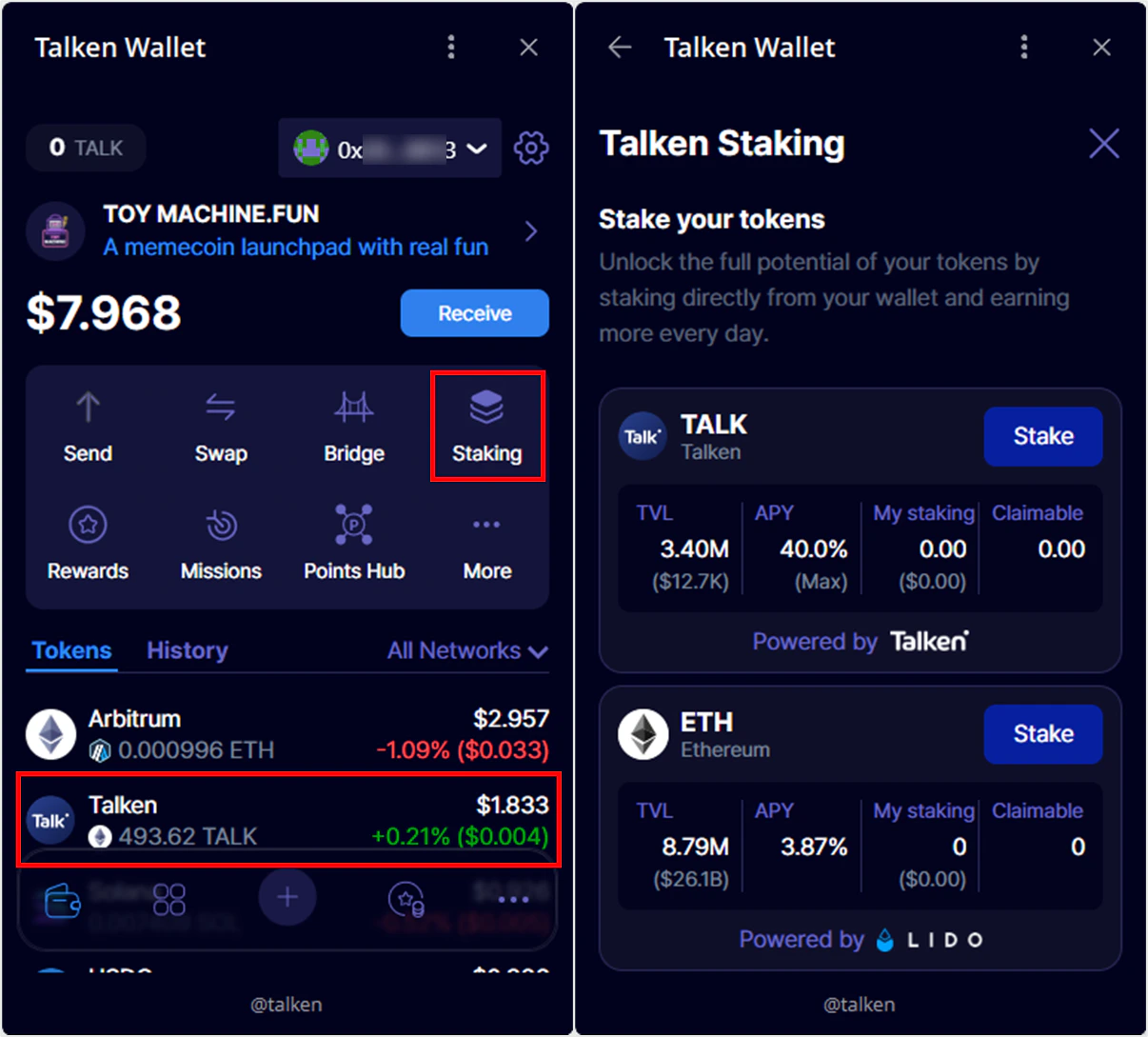
- Go to TALK (Ethereum) token detail page → Click “Staking”
- Or go to top menu → Staking → Choose “TALK Staking”
2
Set Staking Position
Choose how many TALK tokens to stake and for how long.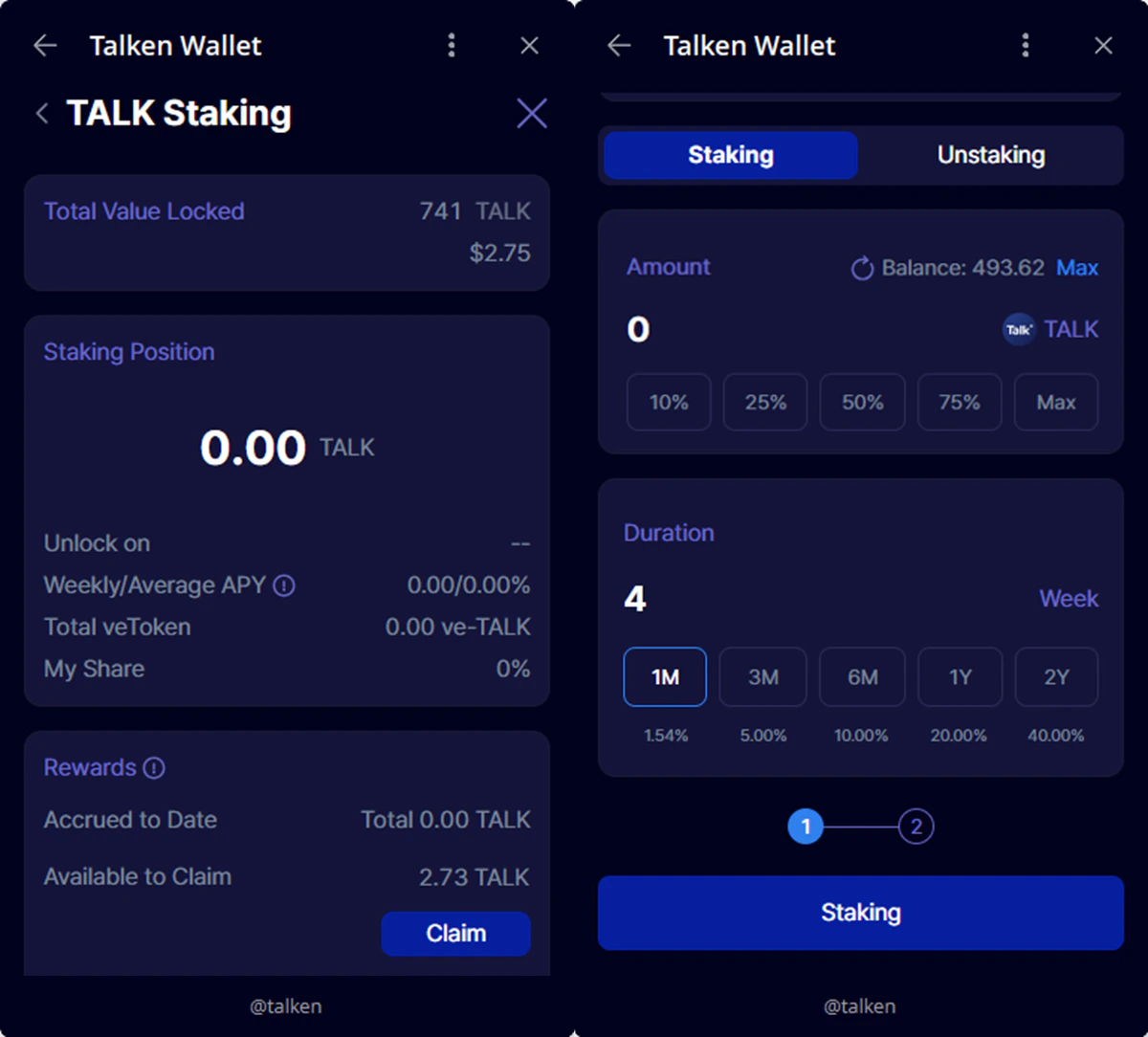
- Enter the amount of TALK to stake
- Choose the lock-up period (up to 105 weeks)
3
Approve and Stake
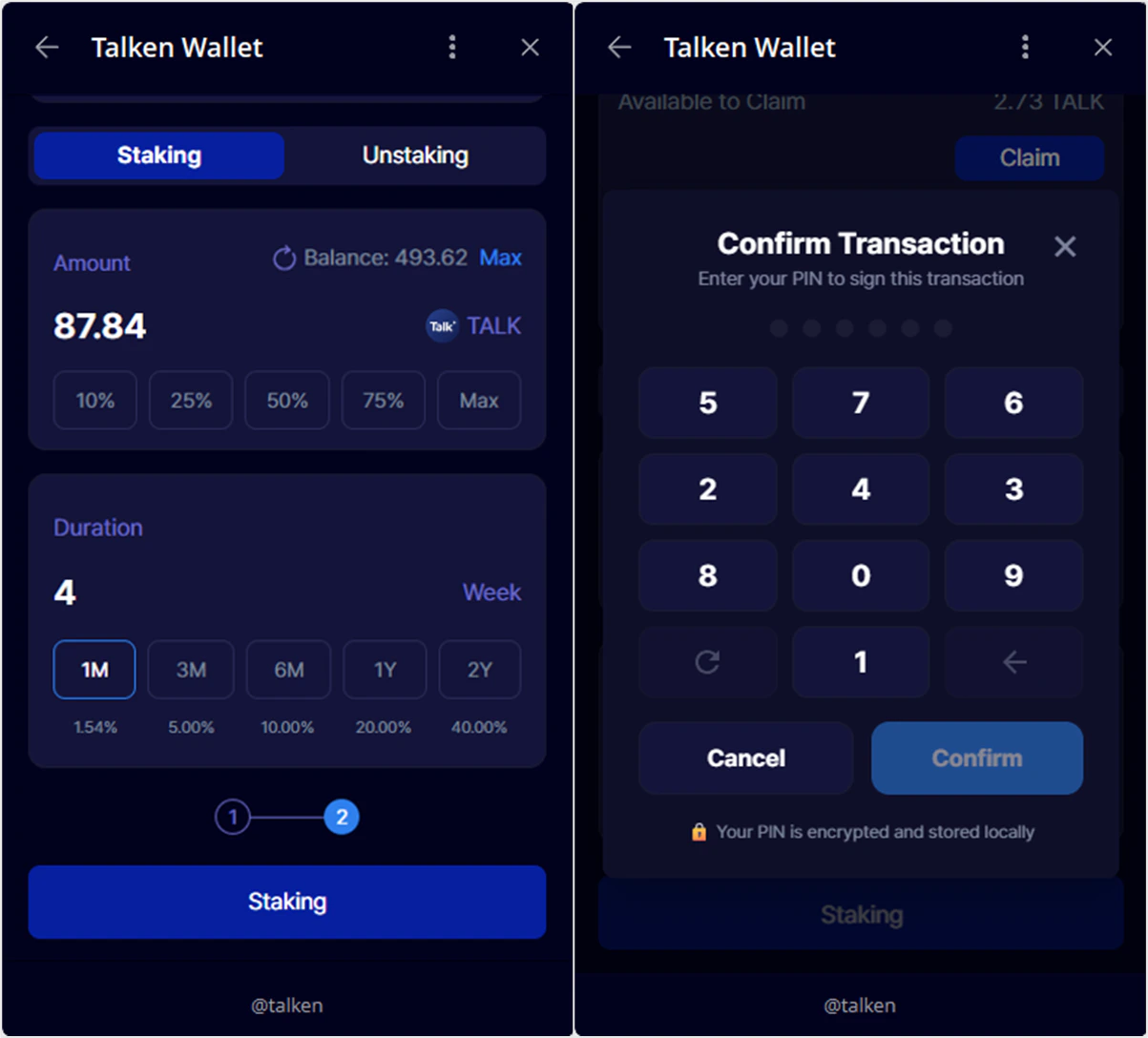
Staking is completed in two steps: Approve → Stake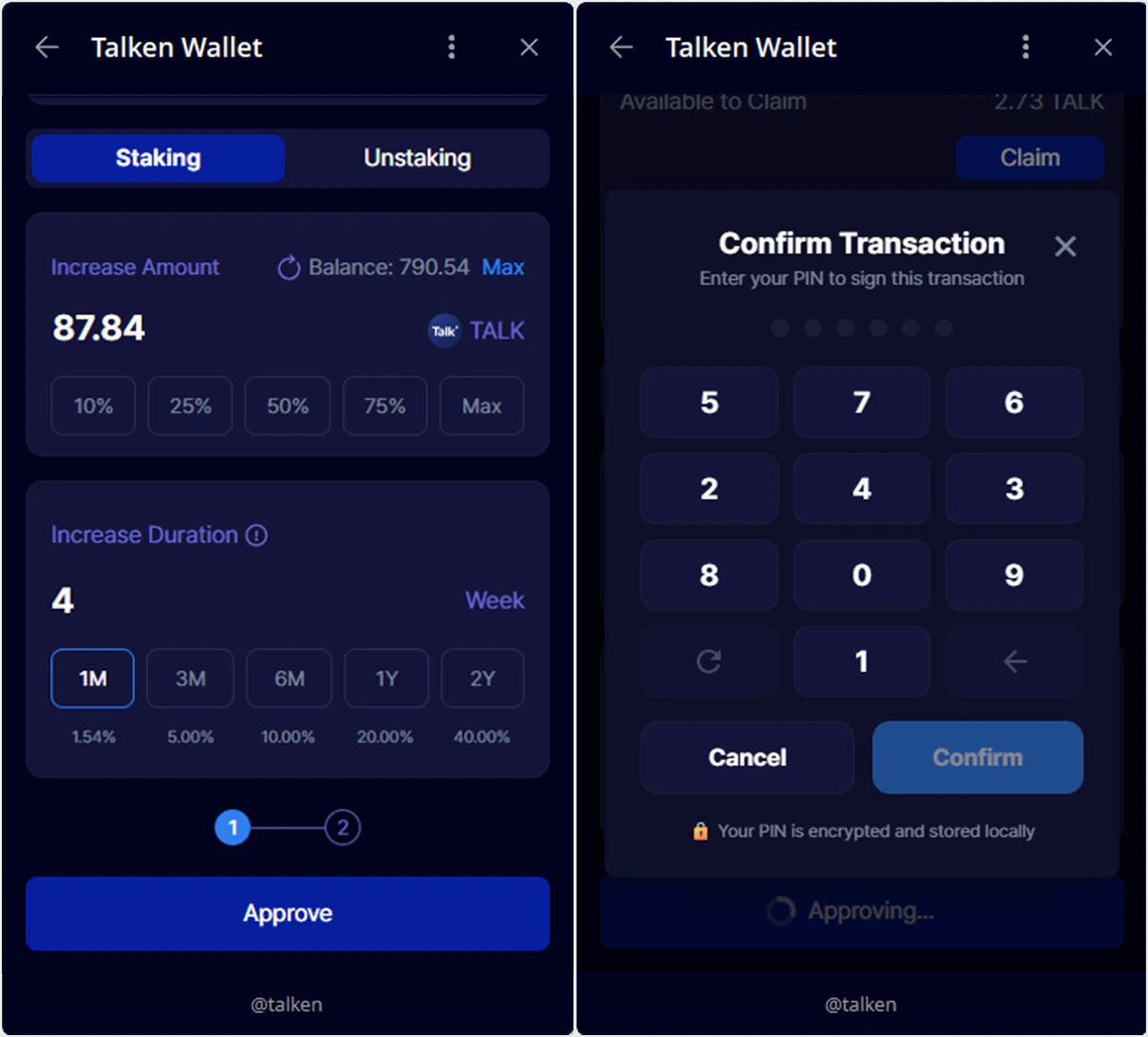
- Approve: Authorizes the smart contract to use your TALK tokens → Enter PIN
- Stake: Creates your staking position after approval → Re-enter PIN
No separate transaction signing is required. Staking is completed with two PIN entries.
4
Check and Claim Rewards
You can monitor your staking rewards and claim them weekly.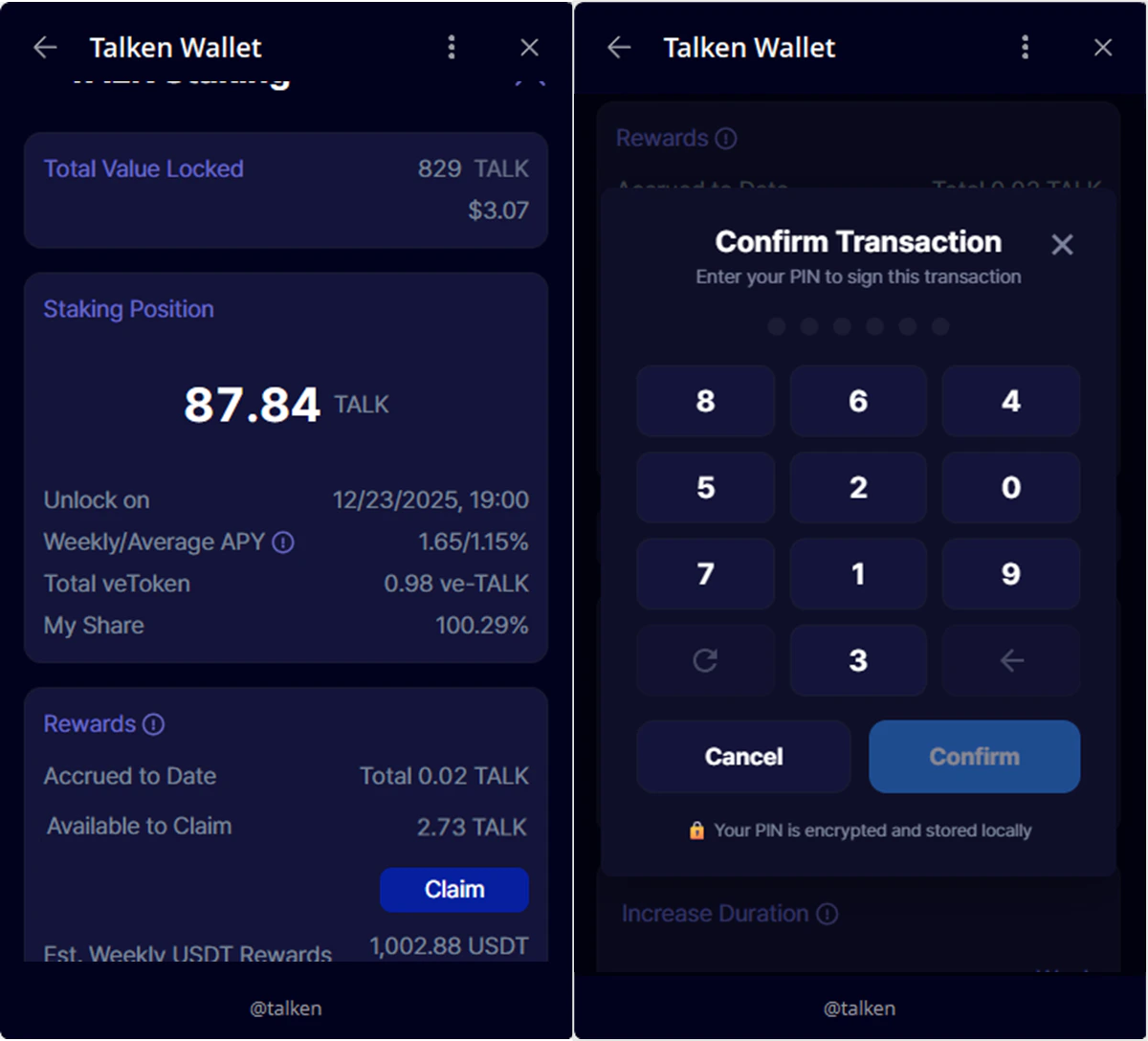
- Accrued to Date: Rewards earned but not yet available — claimable on the next Thursday
- Available to Claim: Rewards that can be claimed immediately
- Click Claim to receive TALK
- Rewards are distributed weekly on Thursdays based on the total staking pool
- Estimated APY: ~20% (actual rewards may vary by participation and duration)
- The longer the lock-up period and the more TALK you stake, the greater your reward
Reward Eligibility — To qualify for rewards in a given week, you must meet all the following:
- Position created before Thursday 09:00 (UTC+9)
- Lock-up period is at least 1 week
- At least 1 week remains in the lock-up period
5
Update Your Position
You can extend your staking period to continue earning rewards. Longer staking periods may result in higher rewards.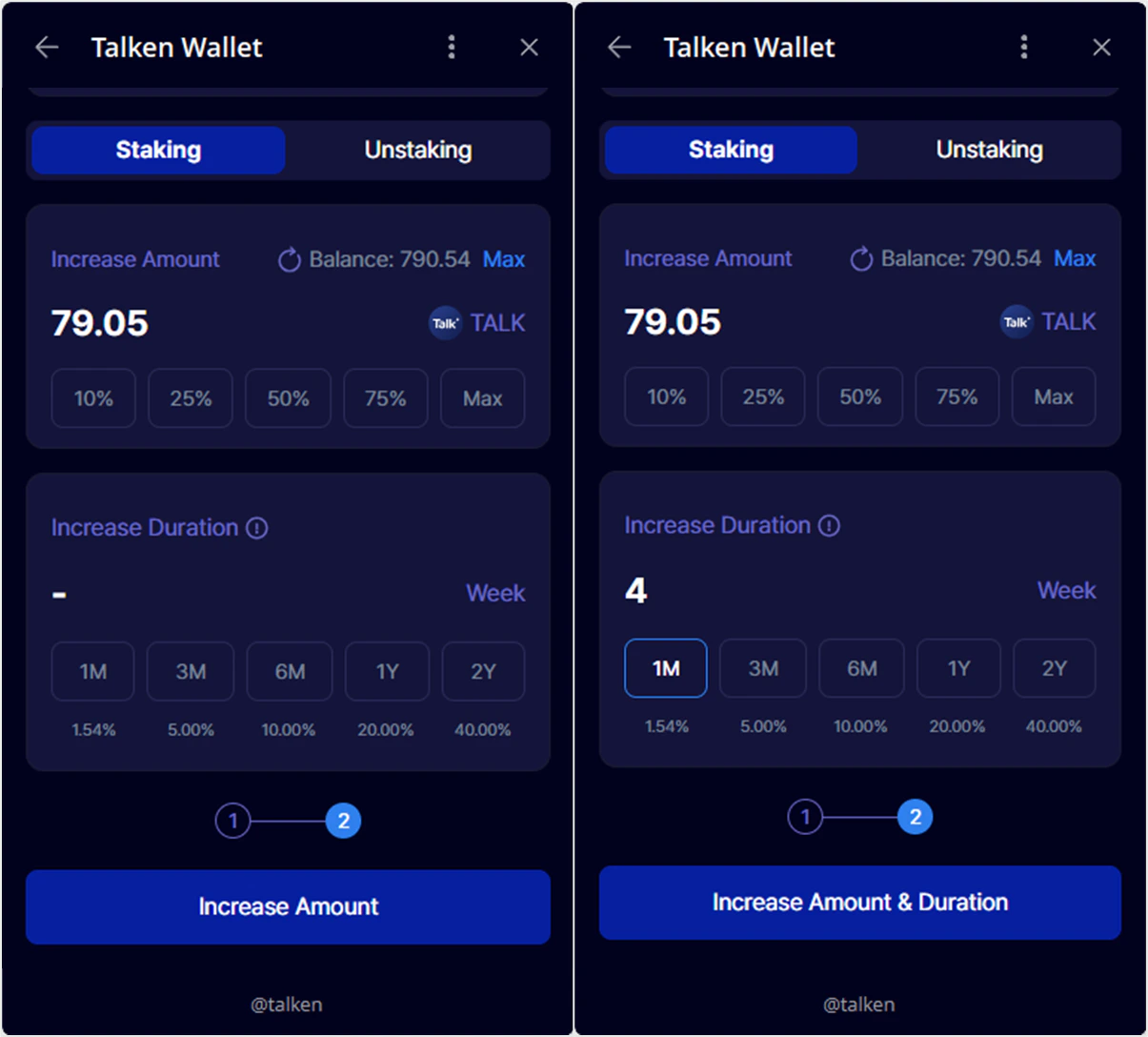
- You can extend your lock-up period before it expires
- Active positions can be updated at any time
6
Unstake
You can withdraw your staked TALK after the lock-up period ends.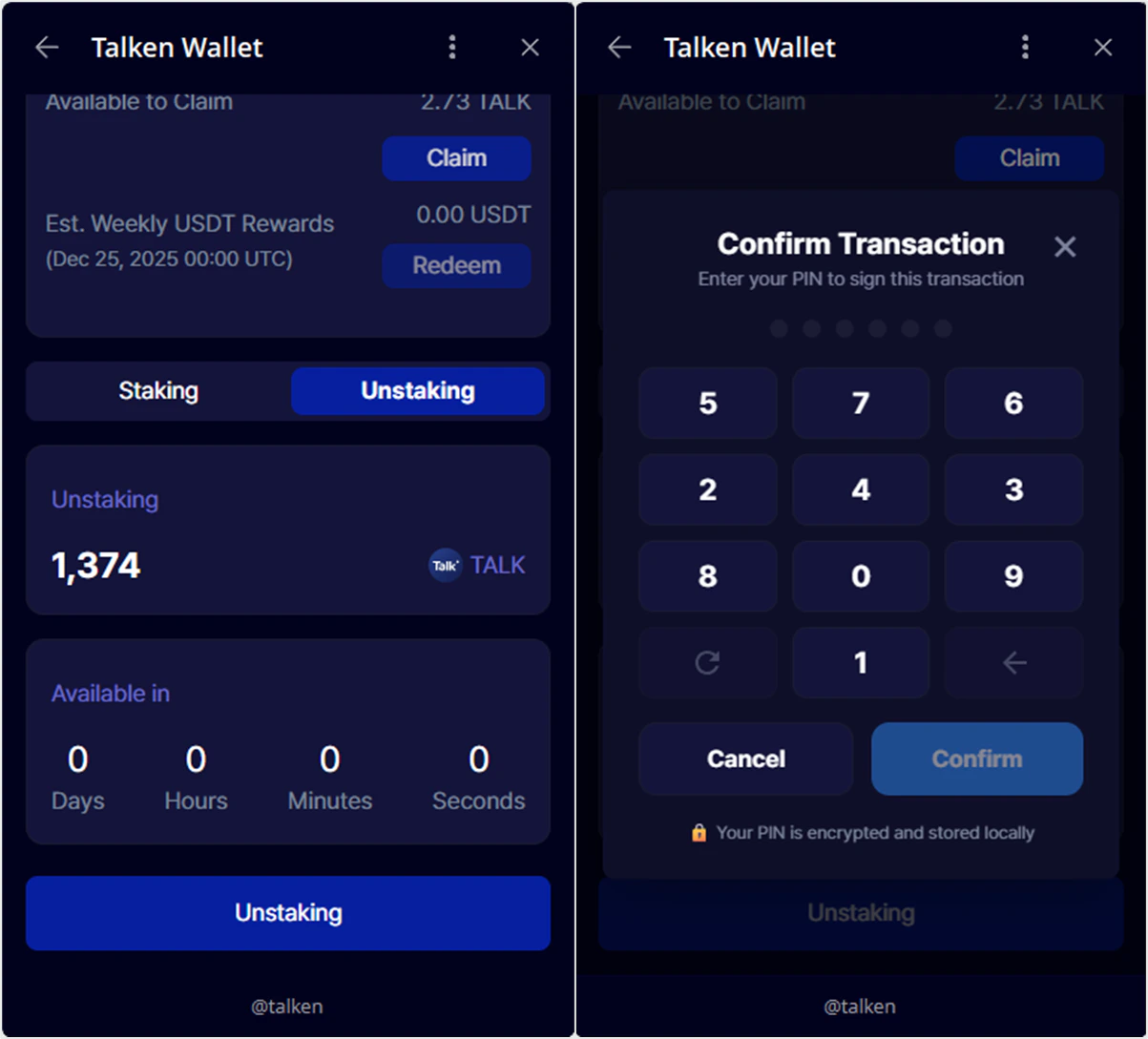
- After the lock-up period ends, click Unstaking
- Enter your PIN to proceed with unstaking
- The entire staked amount will be returned (partial unstaking is not supported)